The power of sales agency management
The database is the foundation of dynaMACS and stores all your manufacturer, customer and sales rep information. It is the fundamental component for organizing sales agency information and activities and gives you quick access to vital information. With this powerful database of information, you can analyze sales trends, choose how you want to view information, calculate commissions and customize reporting to meet your unique needs. Features include:
- Standard interface – Find, view and update customer, manufacturer and sales rep information.
- Search engine capabilities – Powerful lookup capabilities. Retrieve customer, manufacturer or sales rep data by code (ID), name, address, city, zip code, phone number or fax, even a custom field.
- Email – Instantly opens new email already addressed to the primary contact’s email from Sales IQ.
- Input classification – Instant validation and lookup of input fields.
- Notes – dynaMACS contains a free-form notes area to log entries such as contacts, purchases, database changes and reminders.
- Track sales – By “ship to” and “bill to” locations for customers with multiple locations. And consolidate “ship to” within “bill to.”
- Segment information – View reports by the classifications you use most: by state, region, market, buying group, ship to, etc.
- Consolidate reporting for related manufacturers, customers and/or sales reps.
Sample maintenance screens
Maintaining files has never been easier. Following are maintenance screens for updating manufacturer, customer and sales rep data:
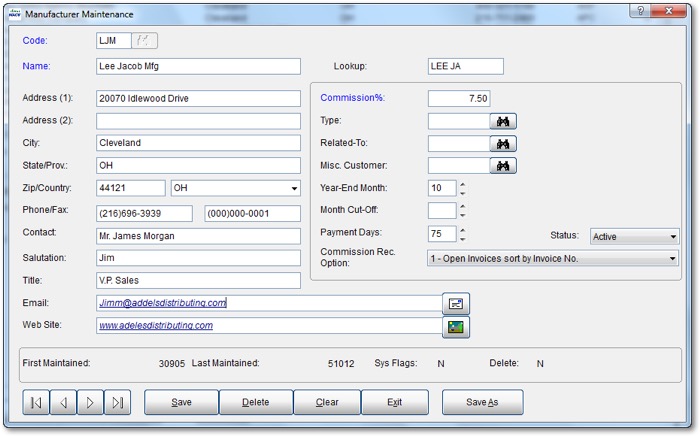
Manufacturer Maintenance Screen
Adding new customers in dynaMACS is a breeze with the following automated features:
- Customer code is auto assigned based on the customer name.
- Sales rep is auto assigned based on zip code if found in the Sales Rep/Zip Code Table.
- The city and state is auto populated based on zip code.
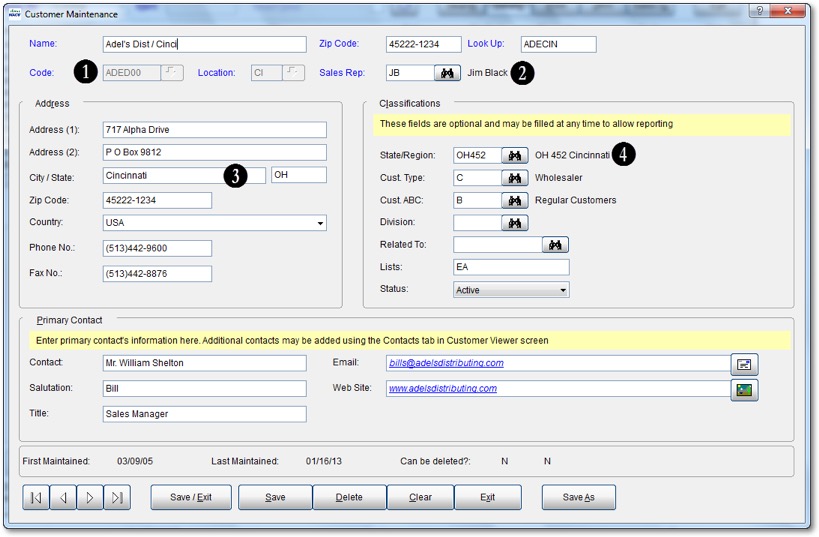
- State/Region is auto assigned based on zip code.

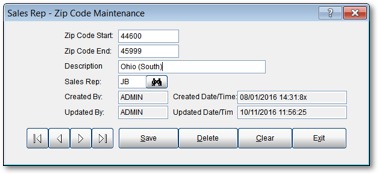
Sales Rep Zip Code Maintenance Screen
Customer/manufacturer exceptions
You can see exceptions specific to a customer or manufacturer:
- Commission rate overrides
- Different sales reps, or split commissions
Customer or manufacturer exceptions, such as customer codes or commission rate overrides, are easily handled with the dynaMACS Exception feature:
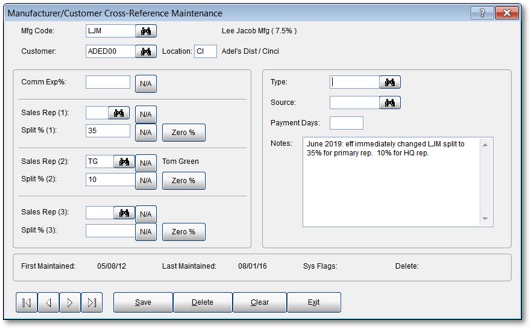
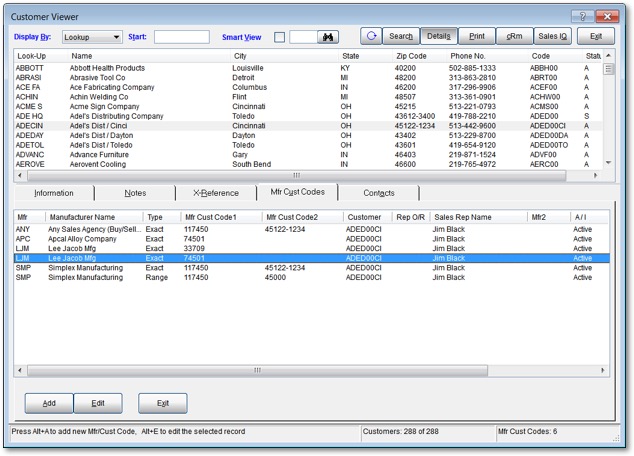
Manufacturer/Customer codes used for Sales Import using eSi
From the Manufacturer, Customer, and Sales Rep Viewer screens you can see the Manufacturer/Customer codes that are set up showing any overrides that will be handled through the eSi import.