Set goals, record quotas, track agency performance and see results
Goal Tracking enables an agency to set sales and commissions goals and track them against actual performance. Set your own goals, or track performance against quotas established by manufacturers. See how a specific sales rep, manufacturer and/or customer are doing, or combine into one complete report. You can identify where sales are below quotas to target improvement.
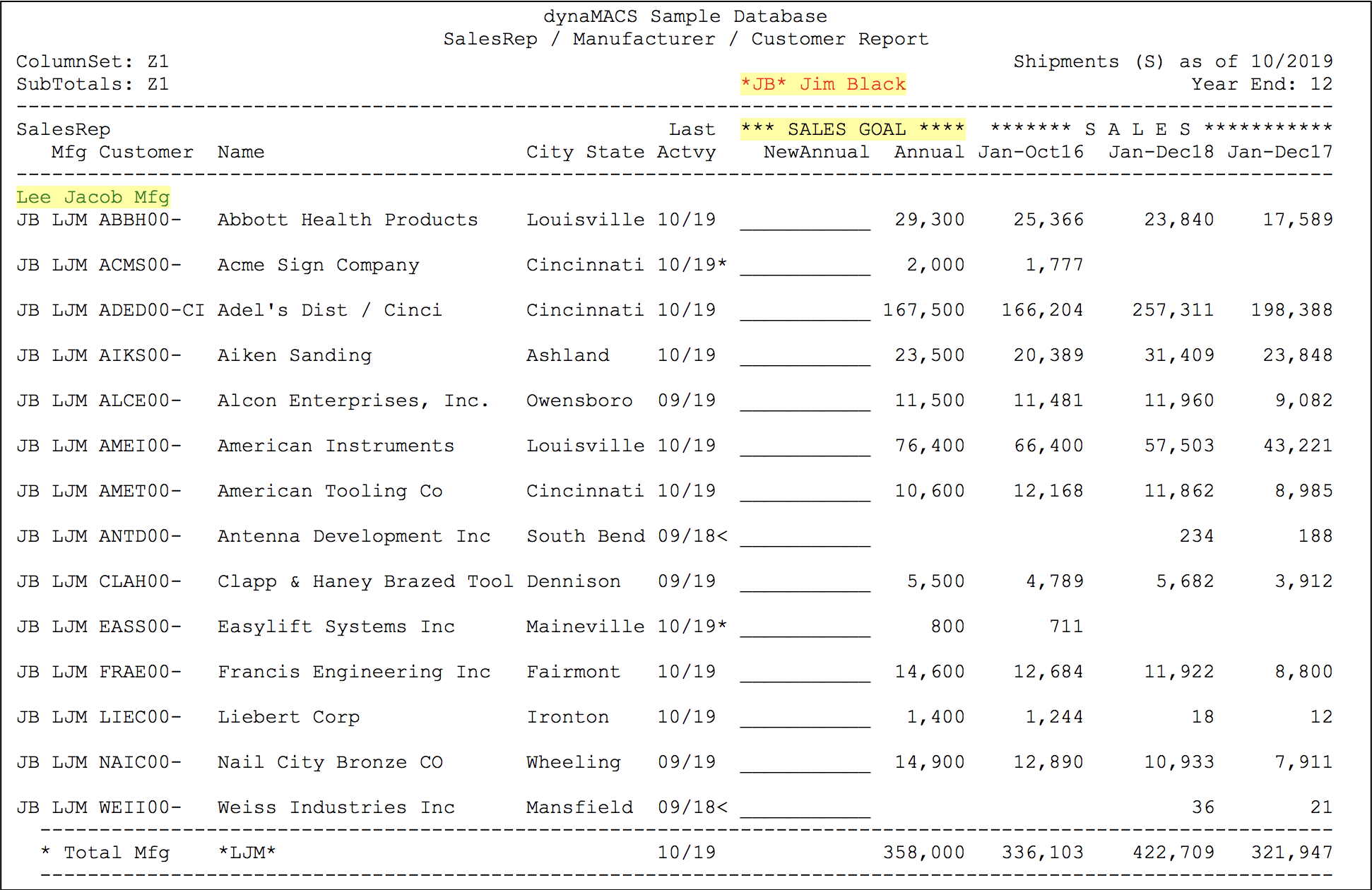
With easy-to-use worksheets, plan sales and commission goals. The sales rep has space to enter next year’s goal and can view current year totals, current year to date, last year’s total and last year to date. Above, Sales Rep Jim Black can set sales goals for all of his customers for Manufacturer Lee Jacob.
A simple 3-step process
- Prepare annual sales goals. Distribute worksheets to sales reps, who prepare goals for their specific territories (or input factory quotas). Goals are typically based on previous sales, so worksheets include 3-years history and space for next year’s goal.
- Record goals. Enter finalized goals into dynaMACS. Expected commissions are automatically set, based on the sales goal using the normal commission rate or a rate entered by the operator. Goals may be modified any time during the year.
- Monitor performance. Track actual performance compared to sales and/or commission goals or quotas at any time, using Sales Analysis. A variety of reports can track performance by manufacturers, sales reps, customers – or any combination. Seasonality adjustments are automatically applied to these manufacturers Year-To-Date goals where appropriate.
Set sales and commission goals, tracks results and target areas for improvement
dynaMACS’ easy-to-read Sales IQ screens enable you to view and analyze your agency’s actual performance, compared to goals you set, or quotas established by manufacturers. In addition we have a wide variety of reports available, so you can sort and sequence information in virtually limitless combinations.
Sales goals vs. actuals, sorted by sales rep and manufacturer in Sales IQ
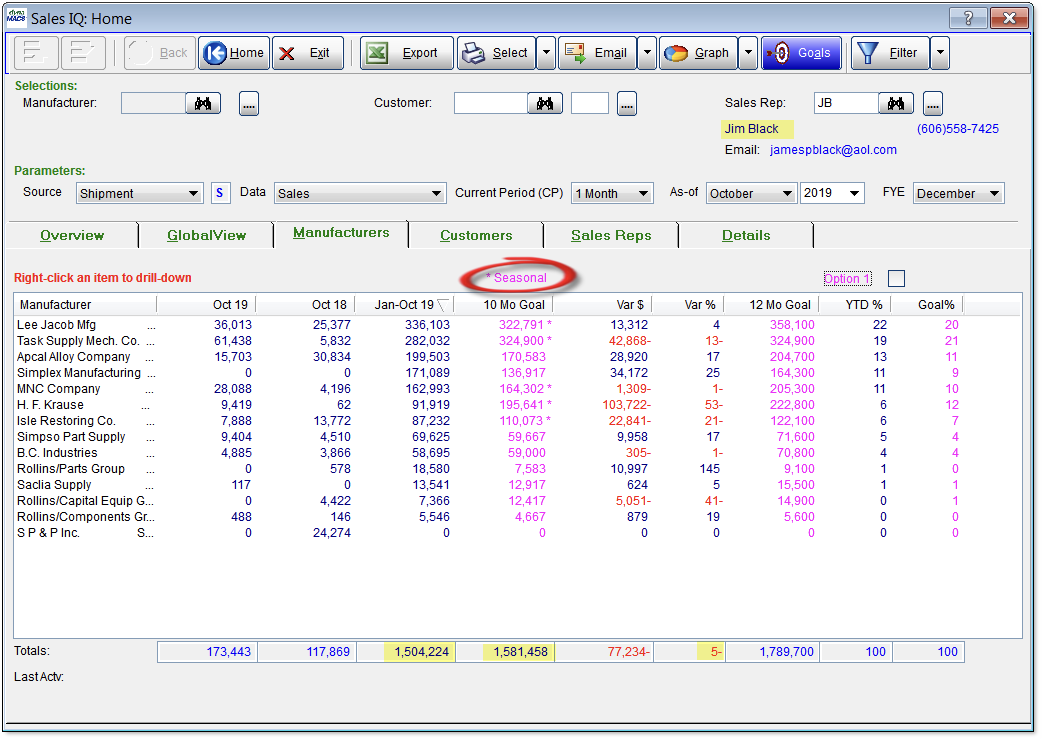 Following is an explanation of the information you’ll find in the Sales IQ screen, such as the example above, which shows sales goals for all manufacturers for a sales rep.
- The Sales IQ screen compares the actual sales performance to goals for every manufacturer in sales rep Jim Black’s territory.
- As a whole, Jim Black’s territory is performing 5% behind his goal, with YTD sales of $1,504,224 versus his 10 month goal of $1,581,458.
- In dynaMACS you can establish goals and apply a seasonality to them. Goals that are displayed based on a seasonality factor are identified by an asterisk “*” next to the goal number.